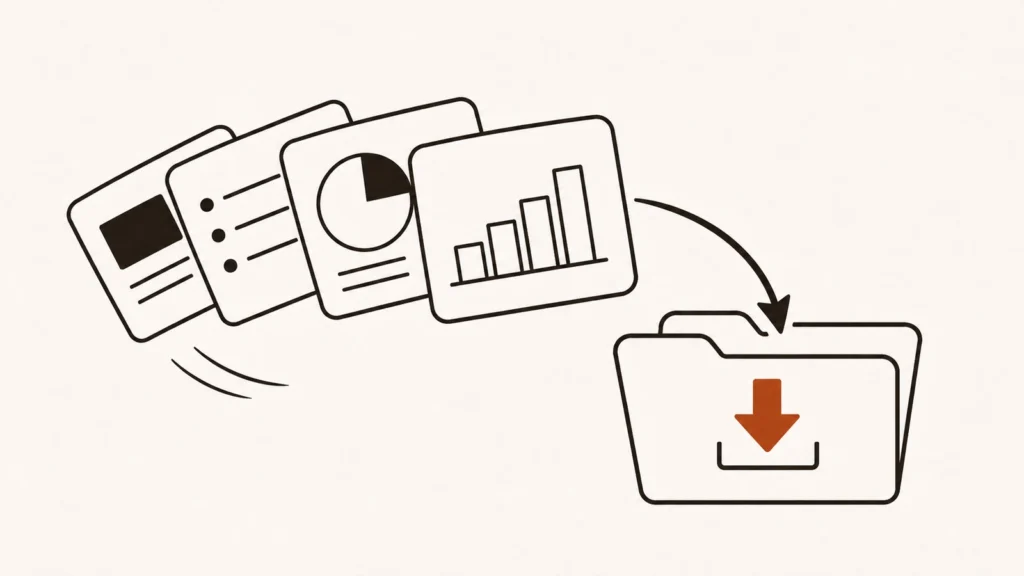
To sell PowerPoint templates online, design a set of editable slides for a specific use, such as pitch decks or training sessions, package them with licensed fonts and images, and list them on a marketplace like Etsy or Creative Market or in your own store on Gumroad or Payhip. Niche, quality and good preview images matter more than the number of slides.
Presentation templates are a classic digital product: you make them once and sell them many times, with no stock or shipping. The market is crowded at the generic end, but buyers still pay for templates that save them hours on a specific job. This guide walks through what sells, where to sell, what each platform charges, and the licensing mistakes that catch out new sellers.
In this guide
- What buyers are really paying for
- Choosing a niche
- Building a template that sells
- Fonts, images and licensing
- Where to sell PowerPoint templates
- Platform fees compared
- Pricing your templates
- Getting your first sales
- Owen’s take
- FAQ
1. What buyers are really paying for
People rarely buy a presentation template because it is pretty. They buy it because they have a deadline and a specific job to do: pitch investors, present quarterly results, teach a class, run a workshop or win a client. A template sells when it makes that job faster and makes them look more professional.
That changes how you design. Instead of “50 modern slides”, think “a 20-slide investor pitch deck with problem, solution, market, traction, team and ask slides already structured”. The structure is part of the value, not just the style.
2. Choosing a niche
Generic business templates face huge competition from free options built into PowerPoint, Google Slides and Canva. Specific templates are easier to find in search and easier to sell.
Niches worth exploring:
- Pitch decks for startups, often by industry.
- Sales and proposal decks for agencies, consultants and freelancers.
- Training and onboarding decks for HR and internal teams.
- Teaching slides for specific subjects or grade levels.
- Reports and dashboards with chart-heavy layouts for monthly or quarterly reviews.
- Event and wedding presentations, such as timelines and slideshows.
- Personal brand decks, such as speaker kits, media kits and portfolio presentations.
Research before you build. Search your target marketplace for your idea and look at the top results: how many slides they include, what they charge and what buyers say in reviews. Gaps in reviews (“I wish it had more chart slides”) are opportunities.
3. Building a template that sells
A good template is easy to edit by someone who is not a designer.
- Use slide masters and layouts. Build every slide from master layouts so buyers can add new slides that match. This is the single biggest quality signal for experienced buyers.
- Use theme colours and fonts. Set colours and fonts in the theme, so a buyer can change the whole deck’s look in one place.
- Make everything editable. Charts should be real PowerPoint charts, not pictures. Icons should be editable vectors. Placeholders should be clearly marked.
- Offer sizes and formats. 16:9 is standard, but some buyers want 4:3. Many also want Google Slides and Keynote versions, which widen your market.
- Include a light and a dark version if it suits the style.
- Write a short guide. Explain how to change colours, replace images, install fonts and add slides.
- Test on another computer. Open the file on a machine without your fonts installed to see what buyers will see.
4. Fonts, images and licensing
This is where many new sellers get into trouble. You are selling a file that contains other people’s work, so you need the right to distribute it.
Fonts. If you use a custom font, buyers who don’t have it installed will see a substitute and your design will break. PowerPoint lets you embed fonts in the file through its save options, but Microsoft notes that not all fonts can be embedded, and a font’s licence may not allow it. The safe choices are fonts that are already on most computers, or open-source fonts. Google says the fonts in its Google Fonts catalogue can be used commercially and included in products you sell, under licences such as the SIL Open Font License. Tell buyers which fonts you used and where to download them for free.
Images. Stock photos in your previews are fine if your licence allows it, but including them in the downloadable file may count as redistribution, which many stock licences forbid. A common approach is to use placeholder boxes in the file and show photos only in the previews, or to use images from sources whose licence clearly allows redistribution in templates.
Icons and illustrations. Check that the icon set’s licence allows use in products for resale.
When in doubt, read the licence or leave the asset out. A complaint can get your listing or whole shop removed.
5. Where to sell PowerPoint templates
You can sell on marketplaces, which bring buyers but take a larger cut, or from your own store, which keeps more of each sale but needs you to bring the traffic. Many sellers do both.
Marketplaces
- Etsy. One of the easiest places to make a first sale, and digital templates are popular there. Buyers download files instantly after purchase.
- Creative Market. A marketplace for design assets, including presentation templates. Shops are approved by review, and its Shop Terms set the shop owner’s share at 50% of net revenue on standard licences.
- Envato Market. Envato’s per-item marketplaces sell presentation templates among many other assets. Since July 1, 2026 all authors pay a flat 50% author fee, and applications have been paused at times, so check whether intake is open.
- Teachers Pay Teachers. A strong option if your slides are for teachers and classrooms.
Your own store
- Gumroad. Quick to set up, with no monthly fee, and it handles sales tax and VAT as merchant of record.
- Payhip. A creator store with a free plan and lower transaction fees as you upgrade. Payments go through your own Stripe or PayPal account.
- Sellfy, Lemon Squeezy and Shopify are other options once you are selling regularly.
Design tools that support template sellers
Canva Creators pays royalties when people use your templates inside Canva, and Visme is used by designers to build presentation templates they sell elsewhere. Neither replaces a store for PowerPoint files, but both are worth knowing about if you design presentations.
You can see every template marketplace we’ve checked in our Selling Templates directory, and creator stores in Digital Products.
6. Platform fees compared
| Platform | What you pay |
|---|---|
| Etsy (US) | $0.20 listing fee, 6.5% transaction fee, payment processing of 3% plus $0.25 |
| Creative Market | Shop owner receives 50% of net revenue on standard licences |
| Envato Market | Flat 50% author fee since July 1, 2026 |
| Gumroad | 10% plus 50 cents on direct sales; 30% on Discover sales |
| Payhip | 5% on the free plan, 2% on Plus, 0% on Pro, plus processing |
Fees change, so check each platform’s current terms before you set prices.
7. Pricing your templates
Prices depend on the niche, the number of slides and the quality of the work. The best way to set yours is to study what similar templates sell for on the platform you choose, and position yourself against them.
A few pricing principles:
- Price for the job, not the slide count. A complete investor deck saves a founder hours, and can be priced accordingly.
- Offer tiers. A basic version, a full version with extra slides and formats, and perhaps a bundle.
- Use bundles. A pitch deck plus a one-page summary and a financial slide pack is worth more than three separate products.
- Do the maths after fees. On a marketplace taking 50%, a template needs to sell for twice what you want to keep.
- Raise prices as reviews grow. Early sales and reviews matter more than early margin.
8. Getting your first sales
- Make strong preview images. Show the cover, a few key slides and a grid of all slides. Buyers decide from the previews.
- Write clear titles. Include the use and format, for example “Startup Pitch Deck Template for PowerPoint and Google Slides”.
- List what’s included. Number of slides, formats, aspect ratios, fonts used and whether charts are editable.
- Build a small catalogue. Five related templates in one niche sell better together than one template alone.
- Bring your own traffic. Share examples on LinkedIn, Pinterest, YouTube tutorials or a blog. Your own store depends on this.
- Collect emails. Offer a free mini template in exchange for an email address, then tell subscribers when you release new ones.
- Update and improve. Use buyer questions to improve the guide and add slides people ask for.
9. Owen’s take
PowerPoint templates are still a good side hustle for designers, but the generic end of the market is saturated with free options. The sellers I see doing well pick one audience, such as founders, teachers or consultants, and build a small range that solves their exact problems. Get the technical basics right, especially slide masters and font licensing, because that is what turns a pretty file into one buyers trust. Start on Etsy or Creative Market for visibility, and add your own store once you have something people come back for.
FAQ
Can I build templates in PowerPoint for the web?
You can design there, but Microsoft says you can’t embed fonts in PowerPoint for the web. Use the desktop app to prepare the final files you sell.
Do I need to offer Google Slides and Keynote versions?
Not at first, but many buyers look for them. Adding formats widens your market once a template sells.
Can I use any font in a template I sell?
Only fonts whose licence allows it. Open-source fonts, such as those from Google Fonts, can be used in products you sell. Check the licence of any other font before including it.
Where should beginners start selling?
Etsy is often the easiest place for a first sale. Creative Market suits designers with a polished portfolio, and your own store on Gumroad or Payhip makes sense once you can bring buyers yourself.
This guide is part of our Selling Templates section, with every platform we have checked in that area.
Sources
- Microsoft Support, “Embed a font in a presentation”: https://support.microsoft.com/en-us/office/embed-a-font-in-a-presentation-05c16e3f-bedc-485a-a9d7-26a39372495f
- Google Fonts, “Frequently Asked Questions”: https://developers.google.com/fonts/faq