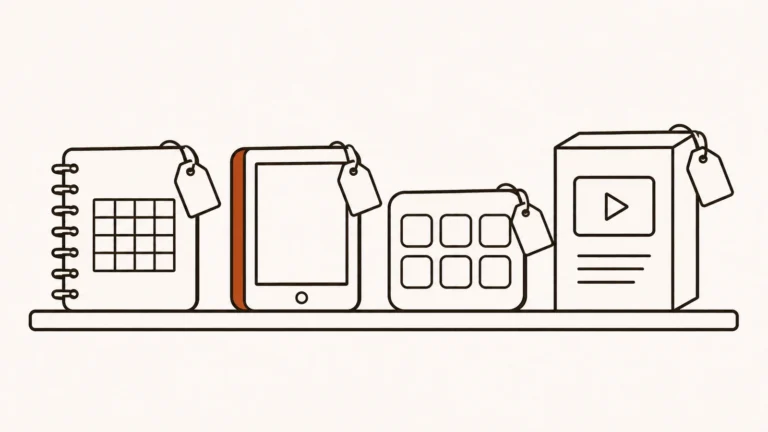
Selling digital products as an eSide hustle means creating something once (a guide, a template pack, a course, a set of presets, a membership) and selling it online as many times as people want it. There’s no stock to buy and nothing to ship. Creator platforms host your store, take payment, deliver the files and take a fee.
See all 13 Digital Products listings
In this guide
- What digital products are
- How digital product platforms work and how you get paid
- What digital products really pay
- The kinds of digital product platforms
- How to choose a platform
- Your first steps
- Costs, taxes and risks
- Red flags to watch for
- How to build your skills
- Recommended resources
- Owen’s take
- FAQ
1. What digital products are
A digital product is anything a buyer can download, stream or access online. Once it’s made, each extra sale costs you almost nothing, which is why digital products appeal to so many creators.
Common types include:
- Ebooks and guides on a skill, hobby or problem
- Templates and planners, such as spreadsheets, Notion pages or printables
- Online courses, recorded lessons with worksheets
- Presets, brushes and design assets for photographers and designers
- Music, sound packs and samples
- Memberships and paid communities with ongoing content
- Coaching and bookings sold alongside downloads
- Software, plugins and access keys
Who it suits
Digital products suit people with a skill, knowledge or creative work that others will pay to learn or use, and ideally an audience to sell to. A social following, newsletter, blog or YouTube channel makes selling far easier. Without one, you’ll need to build traffic before sales come.
2. How digital product platforms work and how you get paid
Most creator platforms follow a similar flow.
- You sign up and set up a store. Often a simple page or a link in your bio.
- You upload your product. Files, video lessons or member content.
- You set a price and options. One-off payment, pay what you want, subscription or payment plan.
- You share the link. On social media, your newsletter, your site or a marketplace.
- A buyer pays. The platform processes payment and delivers the product automatically.
- You get paid. The platform deducts its fee and payment processing, then pays out on a schedule.
Two pricing models dominate.
- Transaction fees. No monthly cost, but the platform takes a percentage of each sale.
- Monthly plans. You pay a fixed fee and keep more of each sale.
Merchant of record. Some platforms act as the legal seller, collecting and paying sales tax and VAT for you. Others leave that to you. For sales across many countries, this difference matters a lot.
One-off, subscription or payment plan
A one-off price suits downloads and short courses. A subscription suits memberships, communities and products you update every month. Payment plans split a higher price into instalments, which can help buyers commit to a bigger course. Many platforms support all three, so you can test which works best for each product.
3. What digital products really pay
Fees are easy to compare, but sales depend on your audience and your product.
Gumroad charges 10% plus 50 cents per transaction for sales made on its website, with no monthly fee. Card processing (2.9% plus 30 cents) and PayPal fees come on top, according to its help centre.
Monthly-plan platforms such as Sellfy, Stan Store and Podia advertise 0% transaction fees on paid plans, so you pay a fixed amount each month and keep more of each sale once volume grows. Payment processing still applies.
A few patterns hold:
- Transaction-fee platforms suit beginners. You pay nothing until you sell.
- Monthly plans suit steady sellers. Once sales are regular, a fixed fee usually costs less.
- Low prices get hit hardest by flat fees. A 50-cent fee is a big share of a $3 sale.
- Recurring products build stable income. Memberships and subscriptions earn every month.
- Your audience decides your sales. A good product with no traffic sells little.
Working out what you keep
Add up the platform’s percentage, any flat fee per sale, payment processing and any monthly plan. Then compare platforms at the sales volume you expect, not just at the headline rate.
4. The kinds of digital product platforms
All-in-one creator stores
- Gumroad for digital products and memberships, with no monthly fee
- Payhip for digital products, courses, memberships and physical goods
- Sellfy for digital products, subscriptions and print on demand
- Podia for courses, downloads, coaching and community access
Link-in-bio stores
- Stan Store, which turns your link in bio into a shop
- Beacons, with a free link-in-bio page, store, media kit and email
Tips, memberships and fan support
- Ko-fi for tips, memberships, commissions and shop sales
- Buy Me a Coffee for tips, memberships and extras
- Patreon for recurring fan memberships and digital products
Communities
- Skool for paid communities with courses, events and gamification
- Whop for digital products, paid communities, courses and software access
Checkout for your own site and software
- SendOwl for checkout and delivery on your own website
- Lemon Squeezy, a merchant of record for software and digital products, now owned by Stripe
5. How to choose a platform
Ask five questions first.
- What are you selling? Downloads, courses, memberships, communities or software.
- What will it really cost? Platform fee, flat fees, processing and any monthly plan at your expected volume.
- Who handles sales tax and VAT? A merchant of record saves you a lot of work.
- Where does your audience live? Some platforms suit social media; others suit websites and email.
- Can you leave easily? Check whether you can export customers, emails and content.
Many creators start on a free plan with transaction fees, then move to a monthly plan once sales are steady.
6. Your first steps
- Pick a problem you can solve. Look at the questions your audience asks most.
- Start small. A short guide, a checklist or a template pack is enough for a first product.
- Validate before building big. Ask your audience, pre-sell or offer a simple version first.
- Write a clear sales page. Who it’s for, what they get and the result it helps them reach.
- Set a fair price. Look at similar products and price within that range.
- Launch to your audience. Email, posts and a short launch offer.
- Collect feedback and improve. Update the product and add testimonials.
Building a product ladder
Many creators sell several products at different prices: a free lead magnet, a low-priced guide, a course and a premium offer such as coaching or a membership. Each step serves buyers ready to spend a little more.
Growing an email list
An email list is the most reliable way to sell digital products. Offer something useful for free in exchange for an email address, send helpful content regularly, and announce new products to people who already trust you.
Writing a sales page that converts
Lead with the problem your buyer has and the result the product delivers. Show what’s inside, with screenshots or a short preview. Add testimonials as soon as you have them, answer common objections in a short FAQ, and make the buy button easy to find. Keep the language plain; clarity sells better than hype.
7. Costs, taxes and risks
Platform and processing fees. They add up, especially on low-priced products.
Refunds and chargebacks. Digital buyers can ask for refunds; chargebacks can cost you fees as well.
Piracy. Files get shared. Some platforms offer licence keys, access locks or watermarks.
Platform rules. Some platforms restrict certain products, such as AI-generated content or financial advice.
Sales tax and VAT. If your platform isn’t a merchant of record, you may need to register and collect tax in other countries.
Taxes. Digital product income is usually self-employment income. In the US, self-employment tax is 15.3% on top of income tax.
8. Red flags to watch for
- Private label rights packs sold as instant businesses. Buyers see the same product everywhere.
- Courses promising passive income with no audience. Selling still needs traffic.
- Products that copy other creators’ work. It can get your store closed.
- Platforms that hold payouts without clear reasons. Read reviews and payout terms first.
- Tools that lock in your customer list. Make sure you can export your buyers.
9. How to build your skills
- Learn to teach clearly. Structure, examples and simple steps make products useful.
- Learn copywriting. Sales pages and emails sell products.
- Learn basic design. Clean covers, layouts and thumbnails build trust.
- Learn email marketing. It’s the backbone of most digital product businesses.
- Learn from your buyers. Feedback shows what to improve and what to make next.
10. Recommended resources
These are listed in our Resources section.
- Teachable, Thinkific and Kajabi for hosting online courses
- Systeme.io for sales pages, email and checkout in one tool
- Heartbeat for running a community alongside your products
- Product Hunt for launching digital tools and products to early adopters
11. Owen’s take
Digital products are the cleanest eSide hustle I know: make something useful once and sell it again and again. The hard part isn’t the product; it’s the audience. Start by helping people for free, build an email list, and sell them a small, specific product that solves one problem. Don’t over-engineer the first one. Ship it, learn from the buyers, then build the next.
FAQ
What digital products sell best?
Products that solve a specific problem for a clear audience, such as templates, guides, courses and presets.
How much does Gumroad take?
Gumroad charges 10% plus 50 cents per transaction on its website, plus card processing or PayPal fees.
Do I need a website to sell digital products?
No. Link-in-bio stores and creator platforms give you a hosted store page.
Which platform is best for beginners?
A platform with no monthly fee lets you start without upfront costs, then switch once you sell regularly.
Do I have to charge VAT on digital products?
Often yes, for buyers in many countries. A merchant-of-record platform can handle it for you.
Sources
- Gumroad Help Center, “Gumroad’s fees”: https://gumroad.com/help/article/66-gumroads-fees.html
- Internal Revenue Service, “Self-employment tax (Social Security and Medicare taxes)”: https://www.irs.gov/businesses/small-businesses-self-employed/self-employment-tax-social-security-and-medicare-taxes
All 13 Digital Products listings
-

Beacons: A Free Link-in-Bio Store for Creators
Beacons is a link-in-bio platform with a built-in store, an auto-updating media kit for brand deals…
-

Buy Me a Coffee: Simple Support Pages for Creators
Buy Me a Coffee gives creators a page where fans can send a one-off tip, join…
-

Gumroad: The Quickest Way to Sell a Digital Product
Gumroad is a platform for selling digital products: ebooks, templates, courses, presets, software, music, art and…
-

Ko-fi: Tips, Memberships and Sales in One Page
Ko-fi is a creator page where fans can leave a one-time tip, join a monthly membership,…
-

Lemon Squeezy: Checkout and Tax Handling for Digital Sellers
Lemon Squeezy is a platform for selling software, SaaS subscriptions and digital products. It acts as…
-

Patreon: Turn Your Audience Into Monthly Members
Patreon is a membership platform where fans pay creators a monthly or yearly fee for exclusive…
-

Payhip: A Simple Store for Creators With Fees That Shrink as You Grow
Payhip is an all-in-one platform for selling digital downloads, online courses, memberships, coaching and physical products.…
-

Podia: One Platform for Courses, Downloads and Coaching
Podia is an all-in-one platform where creators sell online courses, digital downloads, coaching, webinars and community…
-

Sellfy: An All-in-One Store for Digital Products
Sellfy is an online store builder for creators who sell digital downloads, subscriptions, physical goods and…
-

SendOwl: Checkout and Delivery for Digital Products
SendOwl is a checkout and delivery service for digital products. Instead of a full store, it…
-

Skool: Paid Communities With Courses Built In
Skool is a community platform where creators charge members for access to a group with discussions,…
-

Stan Store: Sell From Your Link in Bio
Stan Store is a storefront that lives in your social media link in bio. Creators use…
-

Whop: A Marketplace for Digital Products and Paid Access
Whop is a platform and marketplace where creators sell digital products, courses, software access and paid…
Guides on Digital Products
-
The Most Profitable Digital Products to Sell Online
The most profitable digital products combine a high price, a low cost of delivery and a clear buyer problem. Online courses, templates, ebooks and…