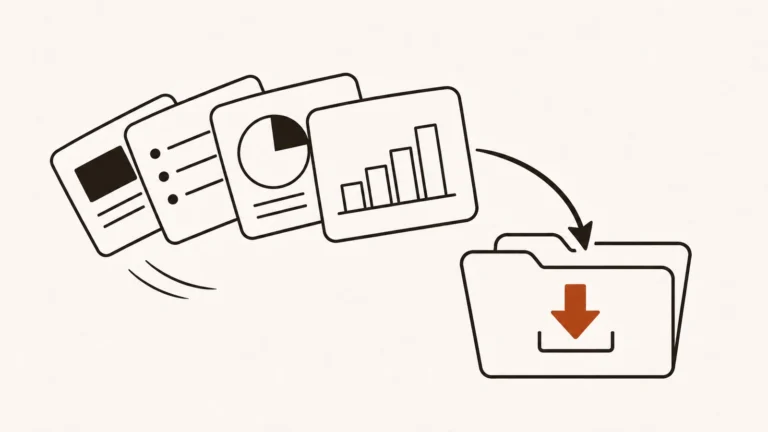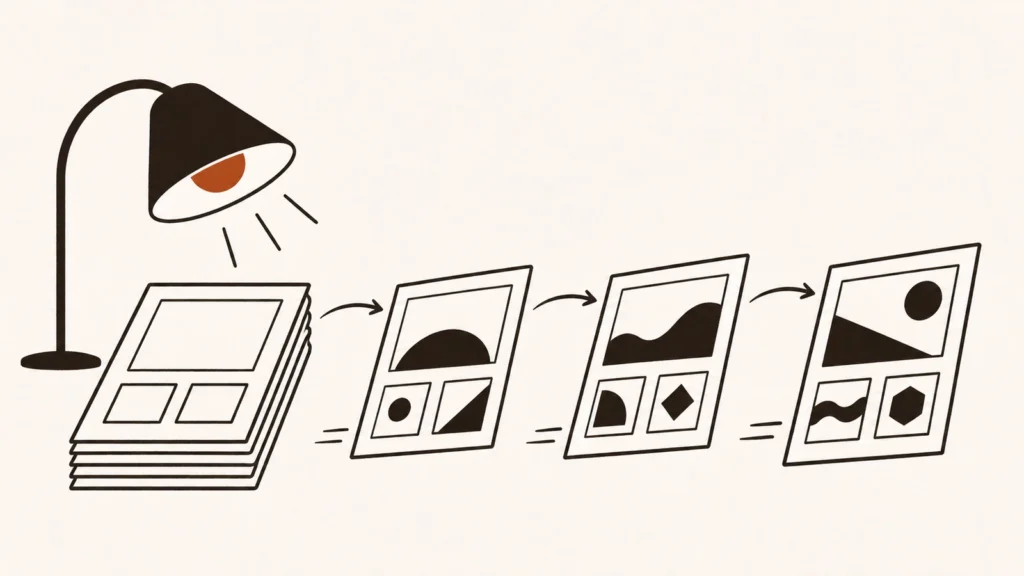
Selling templates as an eSide hustle means building something once (a website theme, a UI kit, a Notion workspace, a Canva design, a font or a graphics pack) and selling it many times to people who want a head start. Marketplaces bring the buyers, handle payment and take a fee. You keep the rest, and each template can keep selling for years if it stays useful and up to date.
See all 15 Selling Templates listings
In this guide
- What selling templates is
- How template marketplaces work and how you get paid
- What selling templates really pays
- The kinds of template platforms
- How to choose a platform
- Your first steps
- Costs, taxes and risks
- Red flags to watch for
- How to build your skills
- Recommended resources
- Owen’s take
- FAQ
1. What selling templates is
People pay to save time. A small business owner would rather buy a ready-made website theme than design one. A student would rather duplicate a well-built Notion planner than build it from scratch. A designer would rather start from a UI kit than draw every button. Templates fill that gap.
The main types are:
- Website themes and templates for WordPress, Webflow, Framer and other site builders
- Code such as plugins, scripts and app source code
- UI kits and design files for Figma and other design tools
- Productivity templates for Notion and similar apps
- Design templates for Canva, presentations, social posts and print
- Fonts, graphics and brushes for designers
You keep ownership of your work and sell licenses that let buyers use it under set terms.
Who it suits
Templates suit designers, developers and organised people who already build these things for themselves or clients. The skill is less about one beautiful design and more about building something many people need, documenting it well and keeping it updated.
2. How template marketplaces work and how you get paid
Most platforms follow a similar path.
- You apply or create a shop. Some marketplaces are open to anyone; others review your portfolio or each item.
- You build and submit a template. It must meet the platform’s technical and quality rules.
- The platform reviews it. Reviewers check design quality, code, documentation and licensing of any assets you used.
- The template goes on sale. You set the price on some platforms; others set it for you.
- You earn per sale or per use. The platform takes its fee and pays you on a schedule once you reach a minimum balance.
There are three main pay models.
- Revenue share per sale. The marketplace keeps a percentage of each sale. This is the most common model.
- Royalty per use. On subscription platforms, you’re paid when subscribers use your template, from a shared pool.
- Sell anywhere. Some tools let you sell templates through your own site or store, with the tool only supporting distribution.
3. What selling templates really pays
Fees vary more in this Area than almost anywhere else, and they change often.
Envato Market, which runs ThemeForest and CodeCanyon, moved every author to a flat 50% author fee from 1 July 2026 and removed its exclusive author programme. Before the change, long-standing exclusive authors paid far lower fees, so many have raised prices or started selling direct as well.
Notion’s Marketplace charges 10% plus 40 cents per transaction when you sell through it. Notion acts as the merchant of record, handles sales tax or VAT and pays out every two weeks once you reach a $20 balance.
A few patterns hold:
- Platform fees range widely. Some marketplaces keep half of each sale; tool makers such as Webflow and Framer Marketplace keep much less or nothing.
- Selling direct keeps more but brings no buyers. You pay only payment processing, but you have to find customers yourself.
- Niche templates sell better than generic ones. A theme for dentists or a Notion system for freelance designers beats yet another general planner.
- Updates protect your income. Templates that break with new software versions get refund requests and bad reviews.
Why price and volume matter
A $20 template with a 10% fee and a $60 theme with a 50% fee can earn you about the same per sale. Look at what you actually keep, then at how many buyers each platform brings. A higher fee can still be worth it if the marketplace sends you steady sales you couldn’t get alone.
4. The kinds of template platforms
Large template marketplaces
Big audiences, strict review, higher fees.
- Envato Market, home of ThemeForest for website themes and CodeCanyon for scripts and plugins
- TemplateMonster for website templates, themes and graphics
- Creative Market for fonts, graphics and templates from your own shop
Selective design marketplaces
Smaller, with entry by application, often with better visibility for accepted sellers.
- UI8 for UI kits, design systems and website templates
- DesignCuts for fonts, graphics and brushes
Tool marketplaces
Sell templates inside the tool your buyers already use.
- Webflow through its Template Creator Program
- Framer Marketplace for site templates, plugins and components
- Figma Community for paid plugins, widgets and files
- Notion through its Marketplace
- Canva Creators, which pays royalties when people use your templates
- ClickFunnels Marketplace for funnel and page templates
Template tools for your own sales
- Visme, a design tool you can use to build presentation, infographic and report templates to sell
Prints and art
- INPRNT, an artist-run print shop, sits in this Area for approved artists selling gallery prints
5. How to choose a platform
Ask five questions first.
- Who uses the tool? Build for platforms whose users already buy templates, and where you know the tool well.
- What’s the fee? Check what you keep per sale after every fee, not just the headline rate.
- How strict is review? Selective platforms are harder to join but often give each item more visibility.
- Can you sell elsewhere? Some platforms let you sell the same item anywhere; others restrict it.
- Who handles tax and refunds? A platform acting as merchant of record saves you work on VAT and sales tax.
Many sellers combine one marketplace for discovery with their own store, so buyers who find them once can come back direct.
6. Your first steps
- Pick one tool you know well. Webflow, Framer, Figma, Notion, Canva or WordPress.
- Find a gap. Search the marketplace for your idea. Look for niches with buyers but few strong options.
- Build one complete template. Polish it, test it and write clear instructions.
- Create good previews. Screenshots, a short video or a live demo sell templates more than descriptions do.
- Submit it and learn from review. Fix anything the reviewers flag before building the next one.
- Add more templates. A small catalogue in one niche builds trust and repeat sales.
- Collect buyers’ emails where allowed. An email list lets you announce new templates without paying fees again.
Writing documentation buyers can follow
Many refund requests come from buyers who couldn’t make a template work. Include a short getting-started guide, explain how to change colours, fonts and content, and list anything they need to install. Clear documentation reduces support time and earns better reviews.
Pricing your first template
Look at what similar templates in the same marketplace sell for, and price within that range. Very low prices rarely win more sales; they mostly signal lower quality. Raise prices as reviews come in and you add features.
7. Costs, taxes and risks
Time before the first sale. A good template can take weeks to build, and there’s no guarantee it will sell.
Fee changes. Marketplaces change fees, sometimes sharply, as Envato’s 2026 change showed. Don’t rely on one platform alone.
Support work. Buyers will ask questions and report bugs. Budget time for support and updates.
Licensing of assets. Fonts, images and icons inside your template must be licensed for redistribution, or left out.
Copycats. Popular templates get copied. Reviews, updates and good support are your best defence.
Taxes. Template income is usually self-employment income. In the US, self-employment tax is 15.3% on top of income tax. Some platforms handle VAT and sales tax for you; others don’t.
8. Red flags to watch for
- Upfront fees to list templates. Most real marketplaces charge a cut of sales, not a joining fee.
- “Done-for-you” template businesses. Courses selling resale rights to generic templates rarely lead to real sales.
- Using other people’s assets without a licence. It can get your shop closed.
- Promises of passive income with no updates. Templates need maintenance to keep selling.
- Buyers asking to pay outside the platform. It removes your protection against chargebacks and disputes.
9. How to build your skills
- Master one tool deeply. Know its features and limits better than your buyers do.
- Learn design basics. Layout, typography, colour and spacing make templates look professional.
- Learn to write instructions. Clear documentation sells and saves support time.
- Learn simple marketing. Previews, product descriptions and an email list all lift sales.
- Study best sellers. See what top templates in your niche include and how they present it.
10. Recommended resources
These are listed in our Resources section.
- Coursera and CreativeLive for courses in web design, UI design and graphic design
- Systeme.io and Kajabi if you want to sell templates from your own store with email marketing built in
- Product Hunt to launch a template pack to an early audience
11. Owen’s take
Templates work best when you sell what you’d build anyway. If you’re a Notion power user, a Webflow designer or a WordPress developer, package your best work and solve one specific problem well. Don’t put everything on one marketplace: Envato’s 2026 fee change showed how fast the numbers can move. Use marketplaces for discovery, build an email list, and give buyers a reason to come back to you directly.
FAQ
What are the best templates to sell online?
Templates for tools with many paying users, such as website builders, Notion, Figma and Canva, built for a clear niche.
How much does Envato take from authors?
From 1 July 2026, Envato charges every author a flat 50% author fee on Envato Market.
How much does Notion charge to sell templates?
Notion charges 10% plus 40 cents per transaction for templates sold through its Marketplace.
Can I sell the same template on several marketplaces?
Often yes, but check each platform’s terms. Some programmes limit where you can sell.
Do I need to be a designer to sell templates?
Not always. Productivity templates such as Notion systems rely more on organisation than design, but clean design still helps sales.
Sources
- Envato Author Hub, “Changes to Envato Market revenue share and exclusivity: what you need to know”: https://author.envato.com/hub/changes-to-envato-market-revenue-share-and-exclusivity-what-you-need-to-know/
- Notion Help Center, “Selling templates on Marketplace”: https://www.notion.com/help/selling-on-marketplace
- Internal Revenue Service, “Self-employment tax (Social Security and Medicare taxes)”: https://www.irs.gov/businesses/small-businesses-self-employed/self-employment-tax-social-security-and-medicare-taxes
All 15 Selling Templates listings
-

Canva Creators: Royalties for Templates Inside Canva
Canva Creators is Canva’s own program for designers, illustrators, photographers and specialists who want their work…
-

ClickFunnels Marketplace: Build Funnel Templates for Other Marketers
ClickFunnels is a sales funnel builder used by coaches, course creators, ecommerce brands and agencies. Building…
-

CodeCanyon: Sell Your Code, Scripts and Plugins
CodeCanyon is Envato’s marketplace for code. Developers sell WordPress plugins, PHP scripts, JavaScript components, mobile app…
-
Creative Market: Open a Design Shop for Templates, Fonts and Graphics
Creative Market is a marketplace for design assets made by independent creators. Shop owners sell fonts,…
-

DesignCuts: Sell Fonts, Graphics and Brushes to a Design Community
DesignCuts is a marketplace for design resources: fonts, illustrations, brushes for Procreate and Photoshop, textures, mockups…
-

Envato Market: Sell Templates, Code and Media to a Huge Buyer Base
Envato Market is a family of marketplaces where independent creators, called authors, sell digital items on…
-

Figma Community: Sell Plugins and Design Files to Figma Users
Figma Community is the public library inside Figma, the design tool used by product and UI…
-

Framer Marketplace: Sell Website Templates With No Platform Cut
Framer is a no-code website builder popular with designers and startups. Its Marketplace lets creators publish…
-

INPRNT: Open Your Own Print Gallery
INPRNT is a print-on-demand shop focused on high-quality art prints. Approved artists open a gallery on…
-

Notion: Sell Templates to Notion Users
Notion is an all-in-one workspace for notes, tasks, databases and wikis, and its users love templates.…
-

TemplateMonster: Sell Website Templates, Themes and Graphics
TemplateMonster is one of the oldest website template stores. It started by selling its own templates,…
-

ThemeForest: Build Website Themes and Sell Them to Thousands
ThemeForest is the website theme marketplace in the Envato Market family. Developers and designers sell WordPress…
-

UI8: A Selective Marketplace for UI Design Assets
UI8 is a marketplace for premium design resources: UI kits, design systems, wireframes, icons, illustrations, mockups…
-

Visme: Create Presentations and Infographics That Sell
Visme is an online design tool for presentations, infographics, reports, social graphics, charts and interactive content.…
-

Webflow: Sell Website Templates to Webflow Users
Webflow is a visual website builder used by designers, agencies and startups. Its Marketplace sells templates,…
Guides on Selling Templates
-
How to Sell PowerPoint Templates Online
To sell PowerPoint templates online, design a set of editable slides for a specific use, such as pitch decks or training sessions, package them…